


Strange MTM2 file found on the net.
-
Roadknight

- Member
- Posts: 614
- Joined: Mon Dec 17, 2007 1:42 pm
Roadknight wrote:It's probably 2, look at this picture.
Grave Digger and Bearfoot have the MTM1 bodies, and that's the beta with the textures on the sides of the tires, I think beta 2 had those textures removed.

definitly beta1 here

crash king
I like mopar
"there's no problems except the brakes. you see they only work on that wheel.....they work very well on that wheel....but only on that wheel." -Richard Hammond(top gear)
I like mopar
"there's no problems except the brakes. you see they only work on that wheel.....they work very well on that wheel....but only on that wheel." -Richard Hammond(top gear)
-
Roadknight
- Member
- Posts: 614
- Joined: Mon Dec 17, 2007 1:42 pm
I have modified the MTM1 Bear Foot and MTM1 Grave Digger trucks in binedit to make them look like the ones in that picture. But the trucks won't work, it always says the texture files are missing. I have checked, they are in the Art folder when I make the truck pod.
I doubt we can get the first beta, the one we have now is most likely the only one made available to the public. Plus T.R.I. supposedly have no intention of releasing their game betas.
Oh, I have another problem: whenever I add new trucks the wheels appear in the truck body.
I doubt we can get the first beta, the one we have now is most likely the only one made available to the public. Plus T.R.I. supposedly have no intention of releasing their game betas.
Oh, I have another problem: whenever I add new trucks the wheels appear in the truck body.

Roadknight wrote: Oh, I have another problem: whenever I add new trucks the wheels appear in the truck body.
http://cownap.com/~mtmg/errors.cgi?e=20
This is a "beta" version of the game. Don't expect it to work properly. The only reason for looking at it is for curiosity sake. You should not really be trying to play it.
![[rofl]](./images/smilies/smilie_rolly.gif "Rolling on the Floor")
-
Roadknight
- Member
- Posts: 614
- Joined: Mon Dec 17, 2007 1:42 pm
Phineus wrote:Roadknight wrote: Oh, I have another problem: whenever I add new trucks the wheels appear in the truck body.
http://cownap.com/~mtmg/errors.cgi?e=20
This is a "beta" version of the game. Don't expect it to work properly. The only reason for looking at it is for curiosity sake. You should not really be trying to play it.
Sorry, I just think the beta is better than the full game.


-
Roadknight
- Member
- Posts: 614
- Joined: Mon Dec 17, 2007 1:42 pm
OK I need help (this happens in the full version as well not just the beta.) I have opened a truck in the "truck editor" in binedit and changed the wheels, and the shock + axle bar texture files. Everything looks fine in binedit, and I can create the pod with no problems.
However, when i load the game, the truck screen is blank, and i get the error message saying "unable to open model digger.bin, or there is a missing texture file. When i check the TRK file in binedit all the models and texture files are missing apart from the ones I added in binedit.
I have checked the preferences, the paths are all correct, and the file names are all under or exactly 8 letters long.
I also have a problem with C-Pod, I cannot view a single file in a pod, it always says "path not found".
However, when i load the game, the truck screen is blank, and i get the error message saying "unable to open model digger.bin, or there is a missing texture file. When i check the TRK file in binedit all the models and texture files are missing apart from the ones I added in binedit.
I have checked the preferences, the paths are all correct, and the file names are all under or exactly 8 letters long.
I also have a problem with C-Pod, I cannot view a single file in a pod, it always says "path not found".
-
Roadknight
- Member
- Posts: 614
- Joined: Mon Dec 17, 2007 1:42 pm

-
Roadknight
- Member
- Posts: 614
- Joined: Mon Dec 17, 2007 1:42 pm
nome66 wrote:check this...
it's not the 1st beta. not sure wich its really. i saw it in the trailer for mtm2 on youtube. mtm2 digger with mtm1 paint. LOL
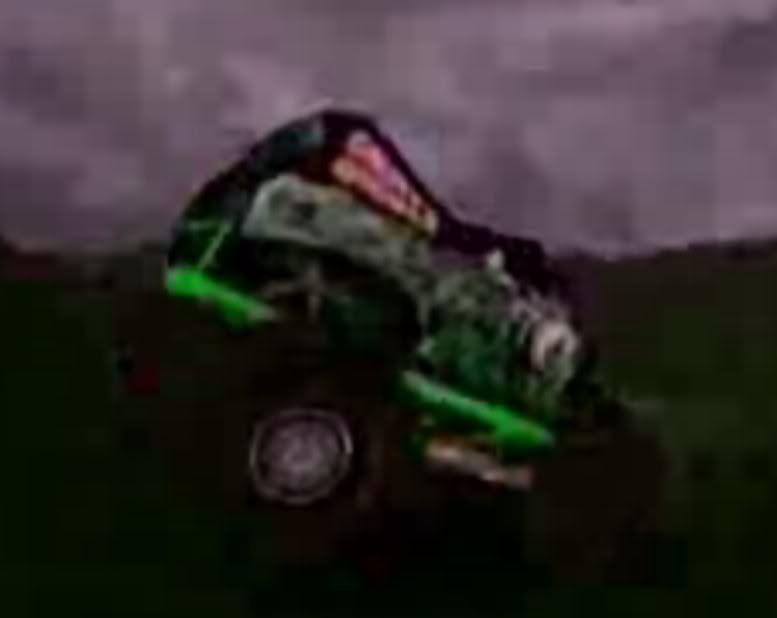
I've found something else interesting about that video, when the garage comes into the video, Snake Bite can be seen. Snake Bite isn't in that beta Woody gave us.

-
Roadknight
- Member
- Posts: 614
- Joined: Mon Dec 17, 2007 1:42 pm


-
Kmaster

- MTM2 Engineer
- Posts: 1369
- Joined: Fri Oct 10, 2003 6:19 pm
- Location: Valparaíso, Chile.
- Contact:
viewtopic.php?p=45747#45747dogman36 wrote:i know i'm reviving a really old thread, but where did you get those pictures, roadknight?
-
TlathamXmahtalT

- Member
- Posts: 702
- Joined: Sun Jun 08, 2008 7:46 am
- Location: In BinEdit, using YOUR models.
- Contact:
-
whencatsattack
- Member
- Posts: 52
- Joined: Thu Oct 11, 2007 7:26 pm
That beta is actually kinda fun. I used the collision glitches to my advantage. I shoved a CPU truck way off the road lol. A few things I noticed:
*Sidewinder Canyon is a lot more boring looking than the retail version. The "island" that had all the RV's, tents, and the checkpoint thing that unlocked the Torture Pit is totally blank.
*As mentioned, drag tracks work. The checkpoints don't.
*I loaded up the MTM1 Game.pod, and Hill Climb Practice is playable.
*Hill Climb Practice and the drags are listed with "Unsupported Race" next to them under "race type."
*Grave Digger and Snake Bite are pictured in the UI, but not available to drive. Odd....
*Get an error message during a race, and the GO button is replaced with a Resume Race button. IDK if you can actually resume the race because the program became very laggy and glitchy at this point, so I decided to restart it.
*The Graveyard has Crazy 98's track picture.
*Sidewinder Canyon is a lot more boring looking than the retail version. The "island" that had all the RV's, tents, and the checkpoint thing that unlocked the Torture Pit is totally blank.
*As mentioned, drag tracks work. The checkpoints don't.
*I loaded up the MTM1 Game.pod, and Hill Climb Practice is playable.
*Hill Climb Practice and the drags are listed with "Unsupported Race" next to them under "race type."
*Grave Digger and Snake Bite are pictured in the UI, but not available to drive. Odd....
*Get an error message during a race, and the GO button is replaced with a Resume Race button. IDK if you can actually resume the race because the program became very laggy and glitchy at this point, so I decided to restart it.
*The Graveyard has Crazy 98's track picture.