
Introducing the SS Project

Re: Introducing the SS Project
To be fair the beta is doing nothing but keeping the same game but making it look better...
-
Kmaster

- MTM2 Engineer
- Posts: 1369
- Joined: Fri Oct 10, 2003 6:19 pm
- Location: Valparaíso, Chile.
- Contact:
Re: Introducing the SS Project
The goal of Cale's proyect is not that, it is stated very clearly on the original post. Perhaps you should start a proyect like that, I bet many people would be willing to help.
Re: Introducing the SS Project
Passenger side work on Bear Foot...
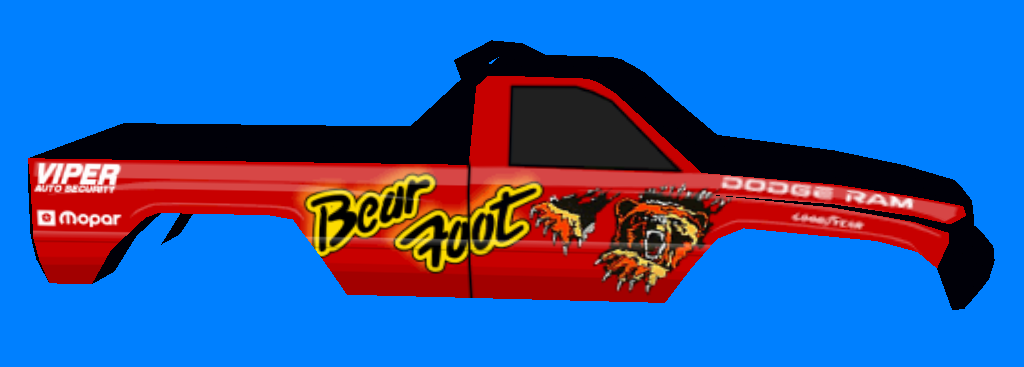
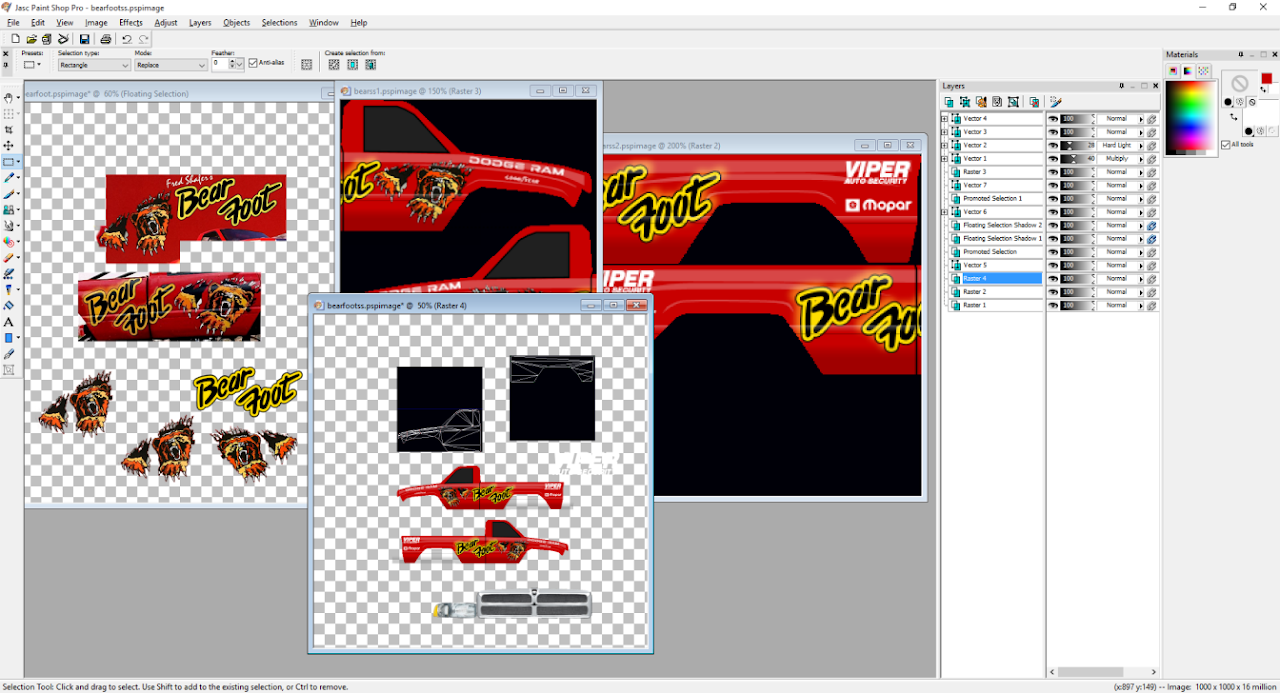
...and a peek behind the curtain. That logo is rebuilt as a vector image so it can be scaled easily and remain crisp. Not the bear, however...too much detail in that, so I did what I can remembering it'll be only 60 pixels high, ultimately.
Honestly, this was never my favorite Bear Foot scheme.
...and a peek behind the curtain. That logo is rebuilt as a vector image so it can be scaled easily and remain crisp. Not the bear, however...too much detail in that, so I did what I can remembering it'll be only 60 pixels high, ultimately.
Honestly, this was never my favorite Bear Foot scheme.


Re: Introducing the SS Project
Coming together quicker than I'd hoped!

Re: Introducing the SS Project
Been quietly trying to make progress on this. It's tedious to cycle through faces to do mapping, but so it goes.


Re: Introducing the SS Project
Ooh, the top-secret Bear Foot: Restricted Edition!
(In case a change of settings renders my joke unfunny, the previous set of screen shots currently shows up with just a gray "do not enter" symbol.)
(In case a change of settings renders my joke unfunny, the previous set of screen shots currently shows up with just a gray "do not enter" symbol.)
Re: Introducing the SS Project
Yeah, images don't work 
Re: Introducing the SS Project
The problem is Google shut down Picasa and then launched Google Photos with no direct linking. Jerks.
https://goo.gl/photos/wRXWwfYRaPy5dguq8
https://goo.gl/photos/UQbJKAY3JojXrb15A
https://goo.gl/photos/9kQ7f7Ai699P98SW6
https://goo.gl/photos/wRXWwfYRaPy5dguq8
https://goo.gl/photos/UQbJKAY3JojXrb15A
https://goo.gl/photos/9kQ7f7Ai699P98SW6
Re: Introducing the SS Project
You can host pictures using this forum btw.
Re: Introducing the SS Project
Just going to keep updating an album on Google Photos: https://goo.gl/photos/7XrXwKitWTN7XmeK9
Bear Foot is done. I'm off work this week so I'm going to try to tie up loose ends and at least get these 6 trucks out as a beta, a chance of more since Rampage and Monster Patrol are kinda easy from this point.
Bear Foot is done. I'm off work this week so I'm going to try to tie up loose ends and at least get these 6 trucks out as a beta, a chance of more since Rampage and Monster Patrol are kinda easy from this point.

Re: Introducing the SS Project
Man, that's simply awesome. What you guys have done to this game is beyond impressive. Outstanding work, Cale!
Re: Introducing the SS Project
Ok Cale - it's been nearly 15 hours since my last post; those trucks done yet? lol
Re: Introducing the SS Project
I know. At this rate I'm gonna find a way to change the game's rendering engine by the time he is done :p
Note*: That's significant because if when that happens the game will be more compatible with newer hardware and means faster frames and able to have higher resolution textures and more detail on objects.
Note*: That's significant because if when that happens the game will be more compatible with newer hardware and means faster frames and able to have higher resolution textures and more detail on objects.
Re: Introducing the SS Project
Well, since you guys asked so *ahem* nicely...
http://www.mtm2.com/MTM2/Trucks/trucks. ... Truck+Pack
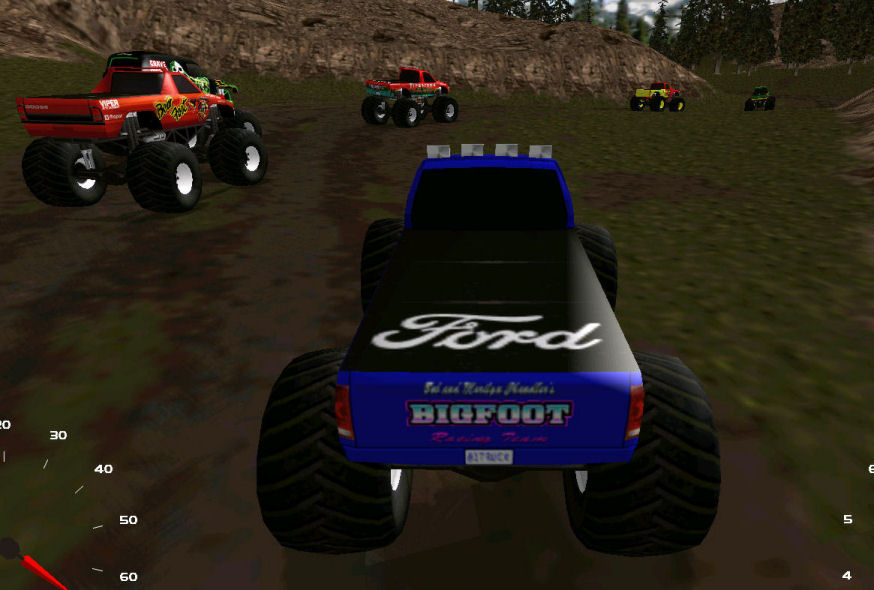
Please read the ReadMe. These are still beta and there's some minor graphical issues, but have some fun and let me know what you think.
http://www.mtm2.com/MTM2/Trucks/trucks. ... Truck+Pack
Please read the ReadMe. These are still beta and there's some minor graphical issues, but have some fun and let me know what you think.
Re: Introducing the SS Project
Awesome! Seriously though, I can't truly express how much I admire what you guys have done/are doing for this game. Great stuff! I'll check out the trucks tonight!
Re: Introducing the SS Project
Hey Cale - the trucks look GREAT, man. They definitely seem to handle a little different too, however, that's just my initial impression. I'd need to road test them on various tracks comparing them to the originals to be sure. I did notice that when you go to chase near there appears to be what I believe is known as "shine through". Specifically, you can see the shocks through the hood, from the rear, and also through the truck bed as you pan around the truck. Doesn't seem to be an issue in chase far. Not sure if its worth looking into, but I figured I'd let you know.

Re: Introducing the SS Project
Cope, did you run that in Direct3D or with nGlide? nGlide has some see-through issues but Direct3D shouldn't.
Re: Introducing the SS Project
D3D - don't use nglide. I'll be finishing up my install today, so I'll have another look. Can't imagine that my sporadic online issues from a corrupt OS (potentially) caused that problem, but what do I know? ;)