
Floating Point
-
Guest
Floating Point
Hey everybody. I have a problem. Whenever I try to enter a race, it tells me that I have a floating point error and returns me to the previous screen. Anyone know how to fix this? I'm really wanting to get back to racing.

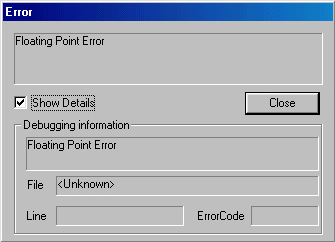

I've thought about this a bit more and while it could be a software conflict, it could just as likely be a bad TRK file. I know you said you're not running addons but triple check anyway.
Another thing to try is delete the "\system\monster.ini" file. You'll have to reset the game options but letting the game rebuild monster.ini can solve many things.
Another thing to try is delete the "\system\monster.ini" file. You'll have to reset the game options but letting the game rebuild monster.ini can solve many things.
-
Master_Ganon05

- Member
- Posts: 48
- Joined: Fri Dec 19, 2003 9:12 pm
- Location: Daytona Beach, FL
- Contact:
Yes Phin is 90% right some times but this one is 100% correct. the monster.ini file sometimes messes up when the program is making the file. so you have to delete the file and let the system/program rebuild it self. always turn to phineus. just remember, believe the phin cause he believes in you.
lol ^
lol ^
-
Guest
Deleted monster.ini. Rebuilt all my settings and loaded with nothing but what came with the game. Still getting the error. The game worked on here before to. Just started doing this all of a sudden, after I had been running several custom tracks and trucks. It also didn't happen after I added something new. Everything that was new on there had already been working for several days.