
internet problems...

internet problems...
i've been having some internet connection issues lately and on all my internet browsers so it's not just a certain one. every time i'm on the internet i'll hit a point where nothing will load or load horribly slow and then it will work fine again. it's been happening the last couple days now and is driving me crazy, any help please?

It's probably your isp. If you do speed checks at the time it's happening, you'll soon know if it's the net or you.
http://www.inetontario.com/speedtest/
http://www.inetontario.com/speedtest/

here is what comcast desktop doctor says, but then it can't fix the problem for me...
The Network Diganosis and Repair Wizard has determined that a network card is incorrectly configured. The card should be able to receive a new network address each time it connects to the Internet. Instead, it is setup to use a fixed address at all times.
The Network Diagnosis and Repair Wizard will reconfigure the network cards to use a new network address each time it connects to the Internet.
Click Next to reconfigure your network devices and verify network connectivity.
In my router, I turn DHCP "off". Then in windows I configure it to log in with a static ip address. Eg. 192.168.1.100. The router is designed to log onto the internet and handles the differing addresses for me, while the computer is in fact static as far as windows is concerned. The advantage of this for me is I can use port forwarding to specific computers on the network without the trouble of looking up what their local ip address is (I know already because I assigned it).
Don't know if that helps. You might also want to check with comcast and ask if they've been having speed problems. Even if they haven't, they can ping your computer and sometimes traces the source of problems.
Don't know if that helps. You might also want to check with comcast and ask if they've been having speed problems. Even if they haven't, they can ping your computer and sometimes traces the source of problems.
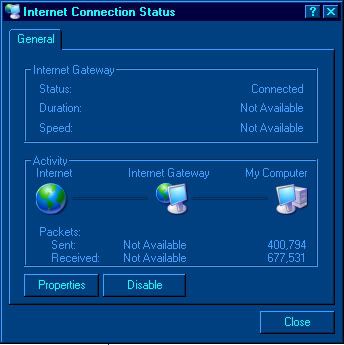

What kind of modem do you use? Is it internal or do you use a Powerline modem?
The reason I ask is because I use a powerline and had the same problem for weeks, sometimes the net would just shut down completely for a few minutes or a few hours or just be slow... drove me nuts until I discovered some bad house wiring, fixed that and it took care of the problem.
The reason I ask is because I use a powerline and had the same problem for weeks, sometimes the net would just shut down completely for a few minutes or a few hours or just be slow... drove me nuts until I discovered some bad house wiring, fixed that and it took care of the problem.

